Bypass Reddit's annoying "network security"
Without having to use a VPN, and for free![Skip introduction, and head straight to the guide!]
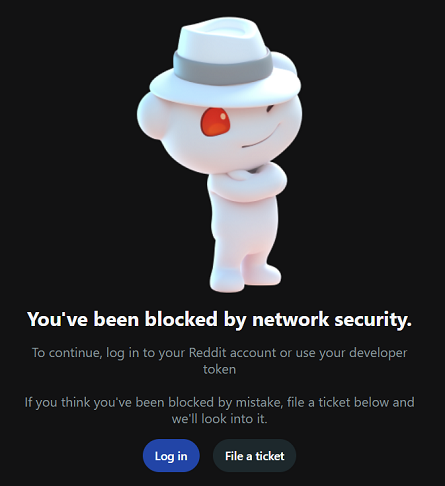
Their "network security" is litterally breaking
our balls in parts so small they could be used to feed birds
![[Flag FR]](/img-shared/flag_fr.png) [Cette page en français]
[Cette page en français]
You've probably seen, at least once, this especially annoying "network security" message when trying to access Reddit.
Here at TheRaphit's Web Site, I'm working with UNIX servers. When I'm in need of some information about Linux or FreeBSD, every single day my Internet search ends up on a page I cannot access, just because it's hosted by this website from hell and its "network security" of death.
But somehow, I found a way to bypass their filters, as I figured that it was address-based: some of my IPs are blocked, while some others are not. So I set up a proxy in order to access Reddit from my main workstation, which belongs to a network without access to it.
And as I know I'm not the only one facing this situation, today I'm going to allow you to use my proxy as well. Gift of the boss!™
 How stupid their filters are...
Each time I try to access Reddit, I get redirected to the "you've been blocked by network security" page. That's not a matter of browser, configuration, or device type - it's the same with my mobile phone, over WiFi.
I can understand they want to prevent archievers, crawlers and malicious programs to heavily load their website... I'm running a Web server myself and all those robots are the real plague of the Internet. I can feel what's happening, although my website is so small in comparison to the main ones.
But here, we're talking about very silly filters. Just to let you figure why:
I'm using two subnets, one /24 and one /29. Both
are routed by the same ISP, and get forwarded to the same router (mine).
But the /29 has access to Reddit, while the /24 hasn't.
They don't seem to care about filtering subnets that are well-known for being full of bots, such as the chinese ones... It's totally random, and has nothing to do with any network safety issues. And of course, as you can imagine, I never ran any crawler of scanner on my IPs. I've got better and funnier things to do!
The dedicated Reddit Proxy, open to everyone, and for free
There's now a machine in that /29 running a proxy server
dedicated to bypass Reddit filters. It's working very well, and thus I decided
to make it available to everyone on the Internet. I'm pretty
sure that will be useful!
reddit-proxy.theraphit.com:13080
It's a standard HTTP proxy. On top of that, I configured it to be discreet: it
doesn't add the X-Proxy header to the requests, allowing you to bypass
Reddit's "network security" while hiding your IP address to them.
A service provided exclusively to my visitors!
Please note! You cannot use this proxy to access anything but Reddit and my own website.
You must NOT configure this address as your browser's default proxy server.
Please follow the instructions below instead!
Calling the proxy upon need, with a browser extension
To use my proxy easily and without having to change each time your browser settings, you can add the FoxyProxy extension to your Firefox, which is free. This extension is also available for Chrome: FoxyProxy - chrome web store.
It has lots of features, but in particular it allows you to set up a filter with specific rules, which will be used to call a proxy only when you want to access some URLs that match the filter. By default, Firefox and Chrome aren't able to do that.
After having added the extension, open it and click the Options button on the lower left of the widget:![[FoxyProxy's widget]](images/rev14/foxyproxy-main-a.png)
The main configuration page will open in a new window. Head to the Proxies tab, then click Add. You may now enter the following information, as seen below.
-
Title :
<any description you want> -
Type :
HTTP -
Hostname :
reddit-proxy.theraphit.com -
Port :
13080
![[FoxyProxy TheRaphit.com's configuration]](images/rev14/foxyproxy-conf-theraphit.png "GFY with your 'network security'!")
Your configuration should look like this when ready - Click to magnify
Then, to build the filter matching URLs you will access through my proxy, you can click the
![[Plus]](/img-shared/foxyproxy-plus.png) on the right, as many times as needed. You'll find below each URL-matching rule, in text
mode, so you may just copy-paste them from this page to your other browser's window.
on the right, as many times as needed. You'll find below each URL-matching rule, in text
mode, so you may just copy-paste them from this page to your other browser's window.
*://*.theraphit.com/*


*://*.reddit.com/*


*://*.redditstatic.com/*


*://*.redditmedia.com/*


*://*.redd.it/*
Yes... Those guys at Reddit are operating a lot of different domains, they're real monkeys... Just to annoy us even more... You definitely don't need that to spread content on several servers. Just in case I forgot one or more domains, this page will be kept up to date, as I'm also using the service on an everyday basis. But if you feel something is wrong, don't hesitate to reach me by e-mail.
Where you are all done with the configuration, restart your browser. Then open again the extension, and turn my proxy on by clicking on Proxy by Patterns.
There's a page on my website which displays visitor's IP address, at the very bottom of it. If your FoxyProxy configuration is good, you should see:
reddit-network-security-is-annoying.ssn.theraphit.com (62.220.128.232)
Of course, if my server show this, Reddit admins will see that too in their logs when someone access their site through my proxy... If they even check their logs. 😈
When you are done with the test, you might disable the rule which uses the proxy to access my own website:![[Disabling the mathing rule for theraphit.com]](images/rev14/foxyproxy-deact-theraphit-a.png)
In case of an outage or scheduled maintenance on the machine running the proxy, that won't block you to check this page to know if there's some issues. Of course, there isnt't any SLA or 99,999 % availabiliy guaranteed on this service. But as I'm using it very often, if there's something that's not working, I'll fix it.
Just in case you were wondering: YES, I clicked that "file a ticket" button... That was in 2024.
It's now september 2025, and I'm still waiting for their response...